KineMaster APK
KineMaster APK offers advanced video editing tools, multiple layers, transitions, color filters, blending modes, audio effects, and high-quality video exports.
(Download Latest Version 2026)
KineMaster APK
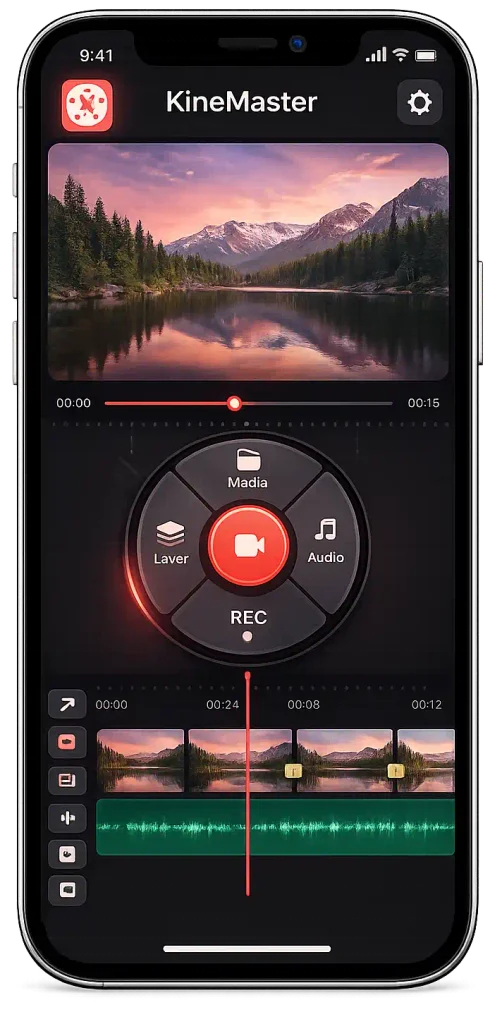
KineMaster APK is a mobile video editing app. You can edit a high quality video editing with the help of this app. This editing app offers practical editing tools. These tools make editing simple. Even if you have never edited a video, Kinemaster makes editing simple and flexible. This editing tool helps users trim clips, split footage, arrange scenes, add text, mix audio, and apply creative effects. It is a very helpful tool whether you are editing content for your YouTube, TikTok, or Facebook pages. You can combine video footage, images, background music, voiceovers, titles, stickers, and other supported layers to create a complete video. KineMaster plays a key role in video editing. This is an easy-to-use app. It does not require pro-level editing knowledge. You can create professional edits with basic knowledge. The transitions make scene changes smoother, while speed adjustment and animation give you smooth visual effects. You can refine the appearance of your footage with the help of color filters and adjustment tools. Before exporting the project, the app also allows you to preview your project. So you can make changes if anything does not look professional in the edit.
What is KineMaster APK?
KineMaster APK Download is a third-party editing app of the official Kinemaster app. It brings the premium features for free. Means you can access all the premium editing tools that are locked in the official version. This editing app makes video editing very simple. It provides everything that is important for professional editing. It brings common video editing tasks into one mobile workspace. On this platform, editors can import media, arrange clips on a timeline, add text and images, edit audio, and apply transitions or effects. The editing starts with a project and ends with the finished video. The video is automatically saved on your device. In short, KineMaster APK makes professional video editing a handy process on mobile. And anyone can edit like pro without learning professional editing.
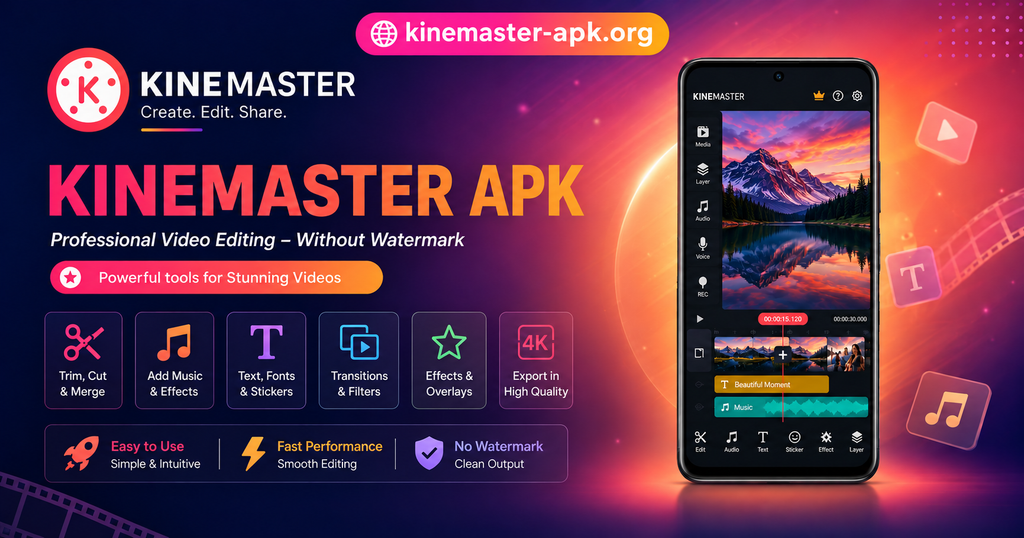
Features of KineMaster APK Without Watermark
Multi-Layer Timeline Editing
This editing app lets users arrange supported media on a timeline with separate layers. You can place a video in the main track and add text, images, stickers, or other footage above it. This setup helps when creating tutorials, reaction videos, introductions, or projects that combine several visual elements.
Video Trimming and Cutting
It includes trimming tools that help remove unwanted parts from a recording. You can shorten a clip, remove a pause, or keep only the important action. For example, when editing a tutorial, trim the waiting time between steps so viewers can follow the process more easily.
Clip Splitting and Arrangement
KineMaster APK Mod allows users to split footage into smaller sections and arrange clips in a different order. This is useful when combining recordings made at different times. You can move an important moment closer to the beginning, remove a section, and improve the flow without recording the entire video again.
Transition Effects
This video editing app offers transitions that help connect scenes and make changes between clips feel smoother. A simple fade can work well for a calm introduction, while a more noticeable transition may suit a fast social video. Choose effects that match the subject instead of using a different transition after every clip.
Visual Effects and Filters
The app provides visual effects and color filters that can change the appearance of your footage. These tools can help create a warmer look, add a creative style, or make a scene feel more dramatic. Apply effects carefully and preview the result so that faces, objects, and important details remain clear.
Text Overlays and Titles
KineMaster APK Download Without Watermark lets you add text to explain information or introduce a video. You can use titles at the beginning, labels during a tutorial, and short captions to highlight important points. Choose readable fonts, suitable colors, and clear placement so the words remain easy to see on a small phone screen.
Animated Text and Stickers
This photo and video editing app supports text animations and graphic elements that can add movement to a project. Animated titles can make an introduction more interesting, while stickers can suit casual clips and short social videos. Use these elements where they support the message, and avoid covering faces, subtitles, or other important parts of the footage.
Music and Background Audio
KineMaster APK Latest Version helps users add music and other audio to their videos. Background music can create a mood, fill quiet sections, or make a travel montage more enjoyable. Keep the music below spoken words when necessary, and check the usage rights before publishing tracks that you did not create yourself.
Voiceover Recording
It includes voiceover tools for users who want to explain a process or add narration to their footage. You can record an explanation for a tutorial, describe a product, or tell a story over video clips. Record in a quiet place and review the sound before exporting the finished project.
Audio Volume and Mixing
KineMaster Mod APK Download provides audio controls that help balance music, narration, and original recording sound. For example, you can lower background music while someone speaks and bring it up during a scene without dialogue. Check the complete timeline with headphones to catch sudden volume changes, unclear speech, or unwanted noise.
Speed Control and Slow Motion
This mobile video editor lets users change playback speed for supported clips. Slower footage can highlight a sports movement or a detailed action, while faster playback can shorten a long process. The final result depends on the original recording and device support, so preview speed changes to check for uneven or distracting motion.
Reverse Video Playback
KineMaster Mod APK Without Watermark includes a reverse playback option that can make a clip appear to run backward. This can create a playful effect for a short video, such as showing an object returning to its starting position. Choose a suitable recording and check the reversed action carefully because some movements may look unnatural.
Chroma Key and Green Screen
It supports chroma key editing, which can remove a suitable solid-color background from compatible footage. You can then place another image or video behind the subject. Good lighting and a clear separation between the subject and background usually improve the result, while fine adjustments can help reduce unwanted color edges.
Keyframe Animation
This editing tool provides keyframe controls for animating supported elements over time. You can change an object’s position, size, rotation, or other available properties between selected points. For example, a logo can move across the screen or text can gradually become larger. Careful timing helps animation look smooth rather than sudden.
Pan and Zoom Effects
KineMaster Mod APK latest Version can help add movement to still images or suitable video layers through pan and zoom effects. This technique is useful for photo slideshows, travel memories, and documentary-style videos. Start with a clear image, keep important subjects inside the frame, and avoid excessive zooming that makes the final picture look soft.
Image and Photo Overlays
This Photo video maker lets you place supported photographs, logos, and graphics over video footage. This is useful for showing a product image during a review or displaying a logo throughout an introduction. You can adjust the image’s position and timing to fit the project. These tools do not replace a dedicated photo editor.
Cropping and Aspect Ratios
KineMaster APK App Download supports different project shapes for various viewing platforms. A vertical video can suit short-form content, while a widescreen layout works well for many YouTube videos. Select the aspect ratio before editing, then check that faces, text, and important objects remain inside the frame instead of being cropped.
Color and Brightness Adjustments
It offers color adjustment tools for improving the appearance of supported footage. You can change settings such as brightness, contrast, saturation, and other available color controls. These adjustments are helpful when clips look too dark or have different colors. Make small changes and compare scenes to maintain a consistent look.
Video Resolution and Export Quality
KineMaster APK without watermark 2025 provides export settings that help users prepare a finished video for different screens and platforms. Depending on device capability, supported options can include high-definition and 4K output. Higher resolution may produce larger files and take longer to export, so select settings that suit the original footage and intended use.
High-Frame-Rate and Slow-Motion Footage
It can work with supported high-frame-rate footage, depending on the device and project settings. A recording captured at a higher frame rate may provide smoother slow motion when edited appropriately. Before starting a large project, check whether your device can handle the source video and selected export settings without lag or errors.
Audio Fade-In and Fade-Out
The app offers audio controls that can help create gradual changes in sound. A fade-in brings music up slowly at the beginning, while a fade-out lowers it near the end. These adjustments can make a video feel more complete and prevent music from stopping suddenly when a scene finishes.
Preview and Timeline Navigation
KineMaster 4.12.1 Mod APK Download combines a preview window with a timeline so users can inspect their edits while working. You can move through the project, check when titles appear, and listen for audio problems. Reviewing the complete video before export helps catch misplaced clips, spelling mistakes, awkward transitions, and unwanted blank sections.
Project Saving and Editing Continuation
This editing app allows users to keep editing projects instead of exporting every change immediately. Save your work regularly and keep the original videos, images, and audio files in an organized location. Some versions also support project transfer or cloud-related options. Check the available tools before moving a project between devices.
Editing for Social Media Platforms
It can help prepare videos for YouTube, Instagram, TikTok, and other social platforms. Select an appropriate aspect ratio, keep captions readable, and place important content where platform controls will not cover it. Review the final export before uploading so the framing, sound, and video quality suit the intended audience.
Beginner-Friendly Editing Workflow
KineMaster APK provides a visual editing workspace where beginners can learn by completing small tasks. Start with trimming two clips, then add a title and background music before trying more advanced effects. This step-by-step approach makes the timeline easier to understand and helps new editors improve without making every project complicated.
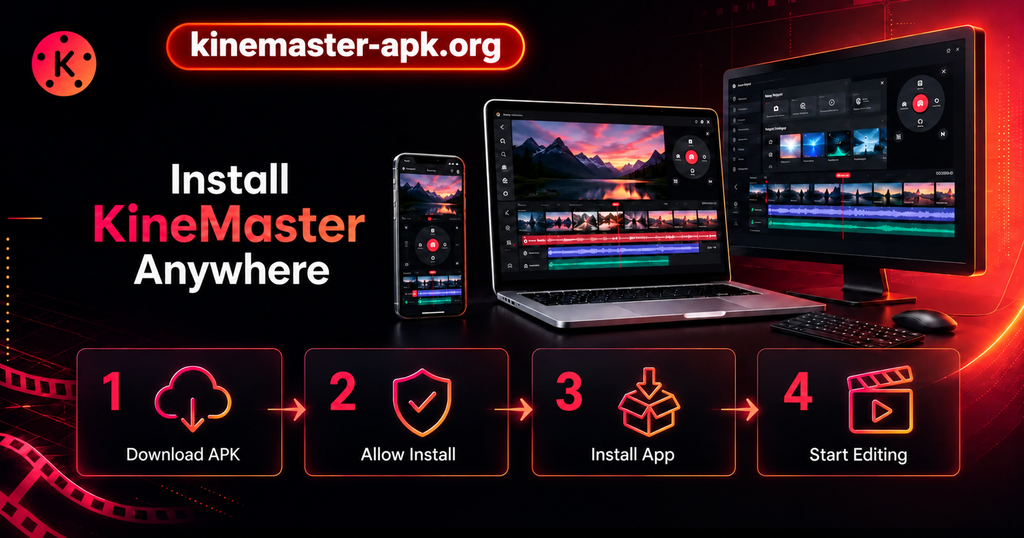
How to Download KineMaster Diamond APK
- This is the unofficial version, so visit a trusted website and find the download button.
- Tap on the download button, and the KineMaster app starts downloading, so wait.
- It is a third-party app, so it needs permissions. Allow all unknown permissions.
- Also locate the downloaded file and tap to install
- The installation takes just 5 to 10 seconds.
- When the Kinemaster APK logo appears on your home screen, tap to open it.
- Enjoy video editing with premium tools.
How to Use KineMaster APK
Follow these steps to create your first video. The names and positions of some controls may differ between versions.
- Open the app: Launch KineMaster on your phone or tablet.
- Create a project: Start a new project from the main screen.
- Choose an aspect ratio: Select vertical, square, or widescreen according to your target platform.
- Import media: Add the video clips and photographs you want to use.
- Arrange the timeline: Place clips in the order you want viewers to see them.
- Trim unwanted footage: Remove unnecessary pauses and sections.
- Add layers: Place supported images, graphics, or additional footage over the main video.
- Insert text: Add an opening title, labels, or captions where needed.
- Apply transitions: Use suitable transitions to connect scenes.
- Adjust the visuals: Improve brightness and color when necessary.
- Add audio: Include background music or record a voiceover.
- Balance the sound: Keep narration clear and background music at a suitable level.
- Apply effects: Use animation and visual effects only where they improve the video.
- Preview the project: Watch the entire timeline and check for mistakes.
- Select export settings: Choose a supported resolution and frame rate.
- Save the video: Export the finished file and play it back to check the result.
Tips for Better Video Editing
Small editing choices can make a video easier to watch. These useful tips help you while editing videos.
- Plan the video first: Decide what you want viewers to learn or see before adding clips.
- Remove unnecessary footage: Cut long pauses and repeated scenes to keep the video focused.
- Use consistent transitions: Choose effects that match the video’s style rather than adding too many.
- Keep text readable: Use clear fonts, suitable colors, and enough screen space.
- Balance background music: Make sure viewers can hear speech without struggling.
- Maintain consistent colors: Adjust clips carefully so one scene does not look much darker than another.
- Choose the right aspect ratio: Use a suitable layout for your intended platform.
- Preview before exporting: Watch the full video to find timing mistakes and unwanted gaps.
- Check storage space: Large source files and exported videos can use considerable storage.
- Keep backup copies: Save important source media and project files before making major changes.
Common KineMaster APK Problems and Solutions
App Crashing or Freezing
Restart KineMaster, close background apps, and update the app to fix crashes and freezing during video editing.
Video Export Failure
Free up storage, close other apps, and lower the export resolution to help the app save your finished video.
Slow Editing and Timeline Lag
Close unused apps, reduce heavy effects, and use smaller video files to make the timeline run smoothly.
Missing Audio
Open the audio track, increase its volume, check your device sound settings, and replace the file if it does not play.
Green Screen Problems
Improve chroma key results by recording against an evenly lit background and adjusting the green screen settings until the edges look clean.
Blurry Exported Videos
Use high-quality source clips, avoid excessive cropping, and select suitable resolution and frame rate settings before exporting your video.
Project Media Missing
Locate your original video, image, or audio files and reconnect them to your KineMaster project if the app cannot find them.
Pros and Cons of KineMaster APK
Pros
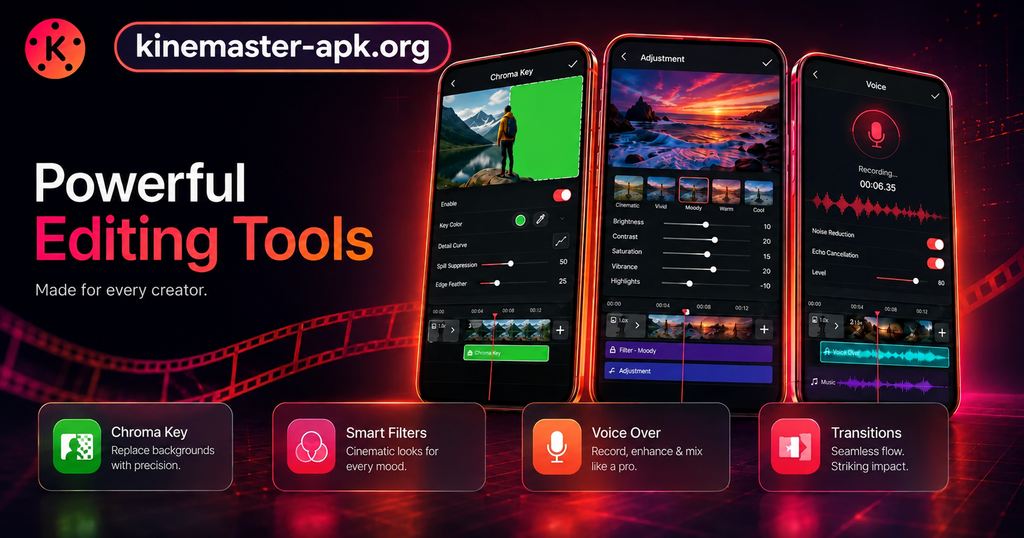
- Multi-Layer Editing
- Easy Trimming
- Clip Splitting
- Creative Transitions
- Visual Effects
- Text Overlays
- Audio Editing
- Voiceover Recording
- Speed Control
- Chroma Key
- Keyframe Animation
- Flexible Export
- Social Media Editing
Cons
- KineMaster APK is not an official version. For this, visit a trusted or reliable platform to download and install this editing app on your mobile.
- Access to unlocked premium features can vary from version to version and device to device.
- it may be risky to download this third-party APK on your Android without any scan.
Wrapping Up
KineMaster APK offers video editing tools, creative filters, visual effects, chroma key, and background replacement for content creators. You can use these features to create high-quality, professional video content. The app brings premium tools for free. With this APK, you do not need to purchase the premium plan. This editing app gives you more control over your videos. It makes mobile video editing very easy. Without using a PC or expensive editing software, you can edit videos like a professional editor. Its advertised watermark-free editing and additional features attract social media influencers, YouTubers, and mobile video editors. However, it is a modified app and is also not listed on the Google Play Store. So always install it from a trusted website.
FAQs
Is KineMaster Mod APK safe to install on Android?
Modified APK files may contain security risks, so download apps from trusted sources and scan files before installation.
Does the KineMaster app include AI video editing tools?
The app may offer AI-assisted editing features depending on its version, device compatibility, and subscription plan.
Which country developed KineMaster APK?
KineMaster was developed by South Korea-based KineMaster Corporation, which is headquartered in Seoul.
How can I remove the watermark using KineMaster Mod APK?
Modified versions may claim to remove watermarks, but these features are not guaranteed and may involve security or licensing risks.
Can I run KineMaster Mod APK on a PC?
You may run the Android app through a compatible Android emulator, but performance and compatibility can vary.
What features does the KineMaster editing app provide?
The editing app offers video trimming, multiple layers, transitions, text overlays, audio editing, filters, and visual effects.
Can I use KineMaster APK for free?
The official app offers free editing options, while some features and watermark removal may require a paid subscription.
